





Broadcast
Message a chosen audience instead of everyone — by tag, by hand, or all members — with AI-polished copy and a per-recipient delivery report.
Before you start
- You have a connected Telegram bot to send from.
A Telegram Channel posts the same thing to everyone who’s subscribed — there’s
no way to know who actually cares, or to reach only them. Broadcast (Broadcast → New broadcast) sends one message from your bot to a chosen audience —
by tag, by hand, or everyone — and reports back exactly who received it.
Targeted vs. group broadcast
The compose wizard offers two targets on its first step, whenever your permissions allow both:
- Members — a private message from your Business Bot to your own buyers, priced in credits, targeted by tag or by hand. This page covers this lane.
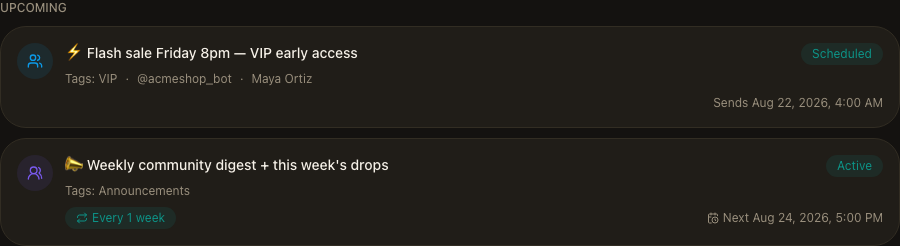
- Groups & channels — a post into your connected group or channel chats. It uses your existing scheduled-message setup, supports repeat schedules, and doesn’t use credits.
The two work completely separately — only the compose wizard and message editor are shared between them.

Creating a broadcast
Compose is a three-step wizard: Audience → Message → Confirm.
- Audience — pick which bot to send from, choose Members, and set who receives it (see below).
- Message — write the content in GramBase’s message editor, the same one used everywhere else for buyer-facing messages.
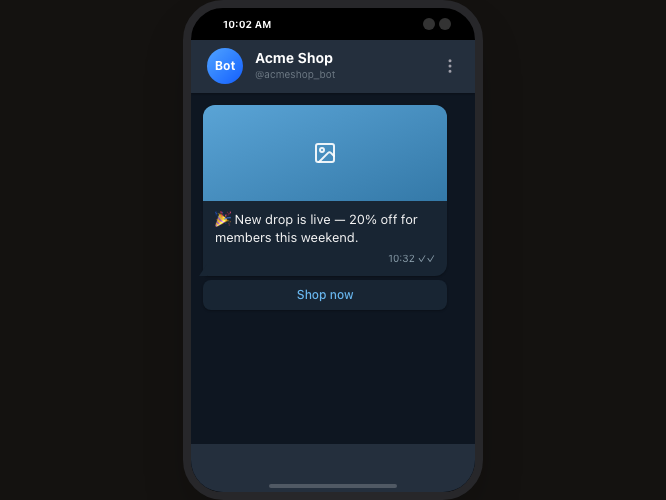
- Confirm — review a preview of what the buyer will see, the audience size, the estimated cost, and send now or schedule for later. A scheduled broadcast resolves its audience at send time, not when you schedule it — a member tagged after scheduling but before the send still gets included.
Choosing your audience
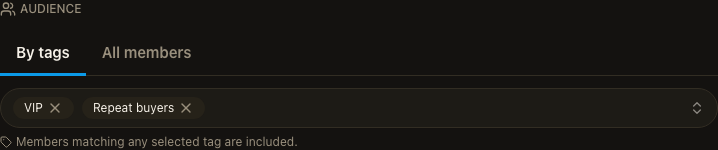
Three ways to pick who receives a member broadcast:
- By tags — members matching any of the tags you select.
- All members — everyone on your Members list, reachability still applying.
- Selected — a specific set you picked beforehand on the Members page.
The confirm step shows a live reachable-count preview and its estimated cost before you send — 1 credit per 10 recipients, rounded up.
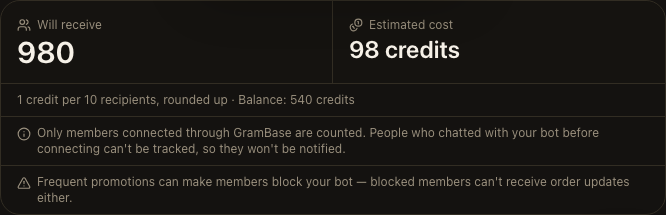
Sending can be blocked here for three reasons: no reachable members in the audience, the audience over the recipient limit (narrow it with tags), or an estimated cost above your credit balance. Credits are charged per batch as sending progresses, not all upfront — canceling stops the next batch, but the one already in progress is already paid for and finishes.
AI copy polish
The message editor’s toolbar carries an AI polish button (a sparkle icon) that turns a rough draft into a laid-out message — paragraphs, bold on the facts that matter, restrained emoji — in one click, so a hurried draft still reads like something you meant to send. It’s available in five editors: broadcast compose, a group’s pinned message, a group’s sticky message, a scheduled message, and a product’s delivery message.
Your facts, numbers, dates, links, and every button label always come back exactly as you wrote them — the model never even sees a button’s URL or any product, order, team, or bot identifier, only its visible label text. Polishing opens a before/after comparison; applying replaces the draft in your open editor, nothing is sent yet, and an Undo polish puts it back.
One successful polish costs 20 credits and is rate-limited to 2 requests a minute per person, 3 per team, across every editor. Four outcomes never cost you: an empty draft, a draft already over the editor’s length limit, hitting the rate limit, or a result that fails GramBase’s content check.
Group broadcasts
A group broadcast posts into your connected group and channel chats instead of messaging members privately. It reuses your existing scheduled-message setup — the same recurrence rules, repeat schedules, and delivery you already have for group posts — and never touches credits.
Delivery results
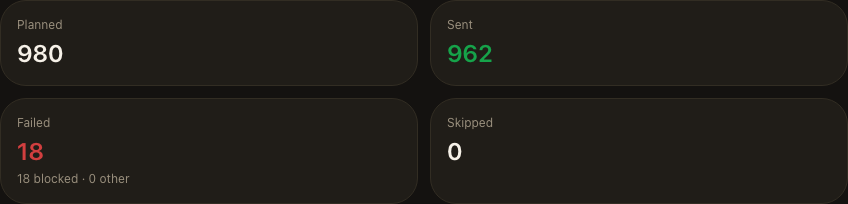
A broadcast’s detail page tracks progress live, then summarizes the outcome in four tiles — Planned, Sent, Failed (blocked-the-bot vs. other failures), and Skipped — next to the audience actually reached and the credits actually settled against the original estimate.
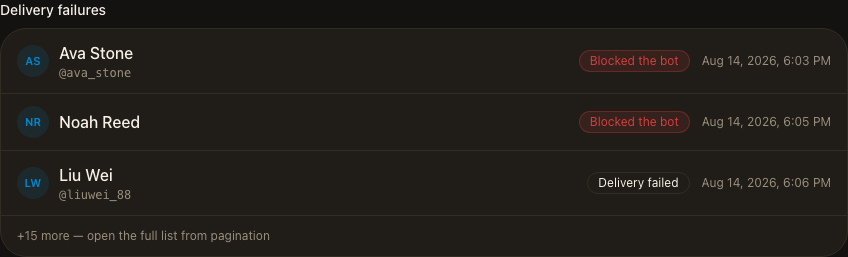
A delivery failures list names each recipient who didn’t receive the message, why, and when — click through to open that member. This detail is kept for 30 days after the broadcast completes or is canceled.
A broadcast can also pause mid-send: for insufficient credits (top up and resume — nobody is messaged twice) or because the sending bot became unavailable (reconnect it, then resume).
Known limits
- Delivery failure details are kept for 30 days after a broadcast completes or is canceled — after that the detail page shows only that they expired, not the individual reasons.
- Only members connected through GramBase are counted. Someone who messaged your bot before connecting can't be tracked, so they're never included and never notified.
- Sending too often can get you blocked. A member who blocks your bot stops receiving anything from it, including order updates.
- AI copy polish costs 20 credits per generation and never sends on its own — you still review and send the draft yourself.
Related
Was this page helpful?
Thanks — noted.