





How to Accept Telegram Stars Payments Without Coding
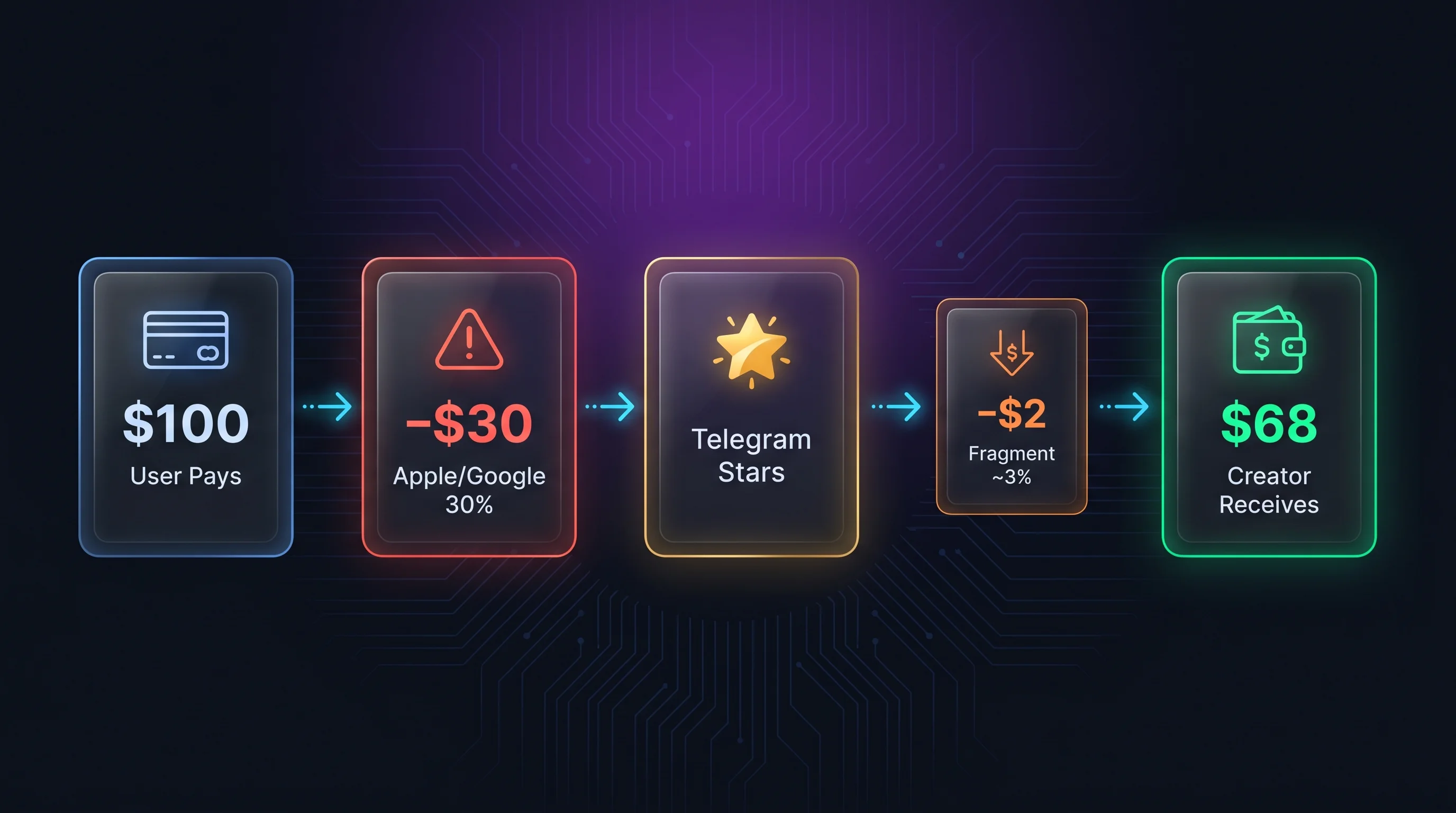
You can accept Telegram Stars payments without coding by using a commerce tool that creates the product, checkout, payment record, and delivery flow for you. The important detail is pricing: the amount charged should be the whole-number Stars price you chose, not a hidden conversion from a dollar price.
I built GramBase and use a Paid Community product as the worked example: one private group or channel with a stated access period. Digital downloads are a separate option below. This guide covers that no-code setup. It is deliberately narrower than the complete Telegram Stars guide, which covers Bot API implementation, fees, withdrawals, and refunds.
What does “accept Telegram Stars without coding” mean?
Accepting Telegram Stars without coding means a seller configures a product and its Stars price in an admin interface instead of building Telegram invoices, webhook validation, order records, and delivery logic from scratch. Buyers still use Telegram’s native Stars payment flow. The no-code layer handles the commerce workflow around it.
That distinction matters. A payment button alone is not a shop. You also need to know what the buyer purchased, which price was selected, whether payment succeeded, and what should happen next.
GramBase treats Telegram Stars as a product-level payment rail. A Stars-only digital product can have its own native Stars price without a crypto price or crypto Payment Profile. The interface also supports independently priced crypto rails, but this does not permit crypto for the same in-app digital purchase. Keep this tutorial’s digital offer Stars-only.
Before you start
Prepare three things:
- A connected Telegram bot, a private group or channel you administer, and a clear access offer. Give that bot the administrator permissions needed to invite and remove members.
- A whole-number Stars price, such as
500. - A Telegram audience or buyer who can open the product inside Telegram.
You do not need to choose a dollar price for a Stars-only digital product. You also do not need to connect a crypto Payment Profile unless you enable the Crypto rail.
Telegram requires Stars for digital goods and services sold inside Telegram apps. Its official Stars payments documentation explains the underlying platform rules. This tutorial focuses on configuring the seller-facing flow without touching the Bot API.
Step 1: Create a Paid Community product
Open GramBase and go to Products → Add Product → Paid Community. Add a name and description that explain what members receive, which group or channel they join, and how long access lasts.
I would make the access promise explicit before writing a long sales pitch: “30 days” tells a buyer more than “premium membership.” The product type is fixed after creation, so choose Paid Community for group access and Digital Goods for a file or code.
In Select Groups, choose the connected group or channel the purchase should unlock. If the list is empty, use Connect a Group or add your bot as an administrator in Telegram, then Refresh group list. Select every community included in this offer.
The product setup reference explains the two product types and their configuration limits.
Step 2: Set the access period and native Stars price
In Pricing & Payment, enable Telegram Stars and leave Crypto disabled for this digital-access flow. Create a tier with a clear name, duration, and whole-number Stars amount. A sample tier is “30 days — ⭐500.” A lifetime tier has no access expiry; use it only if that is what you intend to sell.
| Setting | Example | What it means |
|---|---|---|
| Product type | Paid Community | Delivers membership access |
| Selected community | Your private group or channel | The destination after payment |
| Tier duration | 30 days | How long this purchase grants access |
| Stars amount | 500 | The exact integer charged to the buyer |
| Renewal | A new purchase | GramBase does not auto-charge the balance |
A Stars price is the order amount, not a converted USD price. Editing a separate crypto price does not change it. Any approximate currency figure is an estimate for planning, not an invoice amount or guaranteed settlement value.
Step 3: Check settlement and renewal before launch
For this digital offer, leave Crypto disabled. Telegram requires Stars for digital goods and services sold inside bots and Mini Apps, regardless of buyer wallet readiness or a separate website. Stars vs USDT explains where the comparison applies.
Plan the merchant reward separately from what buyers pay to acquire Stars. Telegram’s developer terms, checked October 3, 2026, state a $0.013-per-Star reward reference that Telegram can change. Use the Stars price and reward calculator to estimate with a stated buyer quote and reward reference; it is not a guaranteed payout.
GramBase usage credits are another cost. See current pricing and Stars settlement and withdrawal before setting the Stars amount.
If you sell paid group/channel access, configure the target community and grant the bot invite/removal permissions. GramBase uses one-time Stars invoices, so renewal requires the member to purchase again. Periodic expiry checks attempt removal; they do not guarantee exact-second removal or success without the required permissions. The subscription documentation explains reminders, invitations and recovery.
Step 4: Put the offer in a storefront
Save the product and make it Active. Then open Storefront, create or select a store, and use Add Products to include the offer. An active product is not automatically included in every storefront.
Choose the buyer shopping surface that fits your audience: Bot Menu presents the offer in chat; Mini App opens a page inside Telegram. Share the storefront’s generated link rather than constructing a link by hand. Keep the store slug stable after sharing it, because changing it changes the link target.
For positioning examples, see the paid community overview. For the exact publication controls, use the storefront reference.
Step 5: Check the buyer-facing total
Open the product checkout as a buyer and confirm that the total is Stars-denominated. The existing screenshot below shows a Digital Goods checkout, not the Paid Community setup screen. It illustrates a whole-number ⭐500 total and a Pay action; a community buyer also selects the intended access tier.
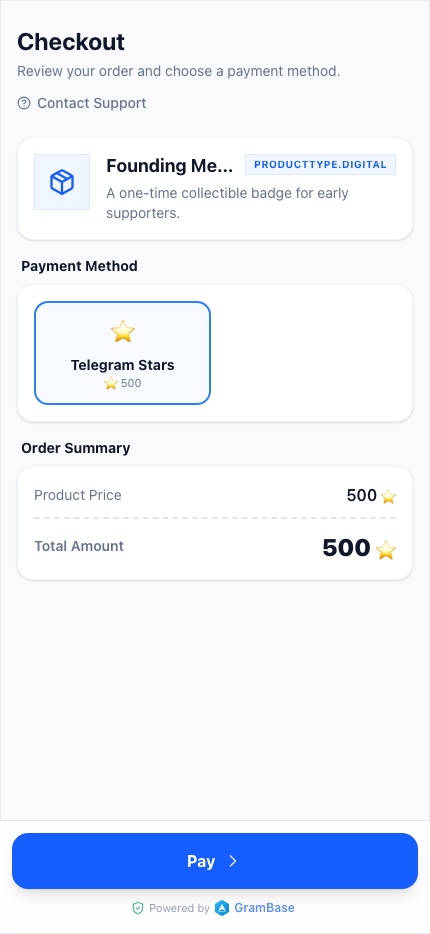
The checkout keeps the amount clear: the buyer sees a native ⭐500 total and a direct Pay action inside Telegram.
Before sharing the product, check the title, delivery details, selected payment rail, and exact Stars amount. For this Stars offer, also test an incomplete payment: it must not grant access. Follow current payment configuration when checking the order state.
Step 6: Verify access, renewal and delivery
Share the product through the Telegram surface where your audience already interacts with you. When the buyer chooses Stars, the checkout uses the product’s native Stars amount. GramBase records Telegram’s successful-payment event and then runs the configured delivery. A paid order and successful delivery are separate states; inspect the delivery log and recovery steps if a file or invite does not arrive.
For community access, join the intended destination using the delivered invite and verify the member and expiry in Subscriptions. Renew link opens another purchase; Extend changes access time; Regenerate invite is available for active subscriptions. If payment succeeded but access failed, investigate that order before asking the buyer to pay again. Test expiry and re-entry with an ordinary member in a test destination; an owner is not a valid removal test. The guide to selling digital goods on Telegram covers the broader product and fulfillment choices.
Selling a digital download instead
Choose Digital Goods when the buyer should receive a file, message, folder, or unique redemption code rather than community membership. Set the Stars amount in Pricing & Payment, then configure the Delivery tab:
- Message: text and an optional attached file, such as an e-book.
- Folder: access to a library folder and its future updates.
- Inventory: one unique code or license key per purchase.
This existing product screenshot shows a Stars-only digital product priced at 500. It is useful for locating the Stars setting, but it does not show membership duration or group selection. The USD figures visible in this historical screenshot are examples, not current buyer quotes or guaranteed net earnings.
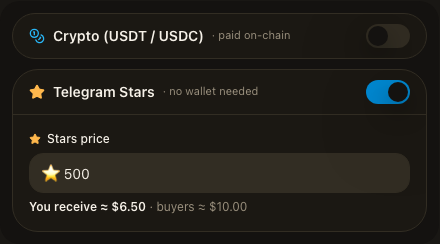
Check the configured delivery as well as the checkout. The digital delivery reference covers delivery records and failed-delivery retries; the digital goods guide covers packaging the offer.
No-code setup versus a custom Bot API integration
| Decision | No-code commerce setup | Custom Bot API build |
|---|---|---|
| Stars price | Enter it in a product form | Create and store it in your own system |
| Invoice handling | Managed by the platform workflow | Implement XTR invoices yourself |
| Payment validation | Part of the commerce workflow | Handle pre-checkout and successful-payment updates |
| Order-to-product matching | Built around the product record | Design your own payload and database logic |
| Delivery | Configure the supported fulfillment flow | Build every delivery path |
| Best fit | Creators and operators shipping quickly | Teams needing custom behavior and engineering control |
A custom integration is appropriate when Stars payment logic is part of a larger proprietary product. Telegram documents its digital-payment guide for that path. If your goal is simply to sell a product or access, building the payment plumbing first is usually unnecessary work.
Common setup mistakes
Treating Stars as a dollar conversion
Set the exact Stars amount you intend to charge. A currency estimate can help a seller reason about pricing, but it is not the order amount.
Assuming a payment receipt proves delivery
Check the purchased item, buyer, payment state and delivery state separately. A missing invite can be a permissions issue; a failed delivery can need a queued retry. A Stars order cannot be force-confirmed with the crypto manual-confirm action. Publish payment support and refund terms, and keep legitimate disputes human-reviewable.
Frequently asked questions
Can I accept Telegram Stars without building a bot?
Yes. A no-code Telegram commerce tool can provide the product setup and payment workflow, so you do not have to implement invoices and webhooks yourself. The buyer still completes Telegram’s native Stars payment flow.
Do I need a crypto wallet to sell with Telegram Stars?
No crypto Payment Profile is required for a Stars-only digital product in GramBase. Telegram’s rules for withdrawing earned Stars are a separate seller consideration; read the Stars fees and withdrawal guide before setting your economics.
Can one product accept both Telegram Stars and USDT?
The interface supports independent prices, but Telegram requires Stars for digital goods/services sold inside its bots and Mini Apps. Do not offer crypto as a substitute for that purchase. A configuration capability is not a platform-rule exemption.
Does GramBase convert my USD price into Stars at checkout?
No. The Stars order uses the product’s native Stars price. Any approximate dollar equivalent is informational and does not change what the buyer pays.
What can I sell for Telegram Stars?
Telegram Stars are intended for digital goods and services sold inside Telegram apps. Examples include downloads, paid content, digital access, and bot features. Check Telegram’s current platform rules for your exact product category.
Start with one product
Start with one paid community and one access tier. Enter the Stars amount, confirm the duration and buyer total, then verify invitation, joining, renewal and expiry before sharing it widely. A live test purchase uses real Stars.
For product fit, review Telegram Stars payments. Then create a Stars-priced community in GramBase and confirm that the intended buyer receives the intended delivery.
Questions? DM @Kai, founder of GramBase.
Related guides
View allTelegram Stars Price 2026: USD Value, Fees and Bot Payments
Telegram Stars price in USD: compare buyer quotes with seller reward references for 1 to 1,000 Stars, then set up paid group access and bot payments.
 Kai | GramBase •
Telegram Shop Bot: Create a Store Without Coding (2026)
Create a Telegram shop bot with a catalog, Stars checkout and file or paid-access delivery. Test products, storefront links and failed deliveries.
Kai | GramBase • 
How to Create a Paid Telegram Channel in 2026 (Step-by-Step)
Create a paid Telegram channel with Stars, bot permissions, a clear access period, manual renewal, expiry checks and a complete buyer-flow test.
Kai | GramBase • Start Selling on Telegram Today
One link to sell products and memberships. Checkout and delivery stay inside Telegram.
Start Selling