





Telegram Shop Bot: Create a Store Without Coding (2026)
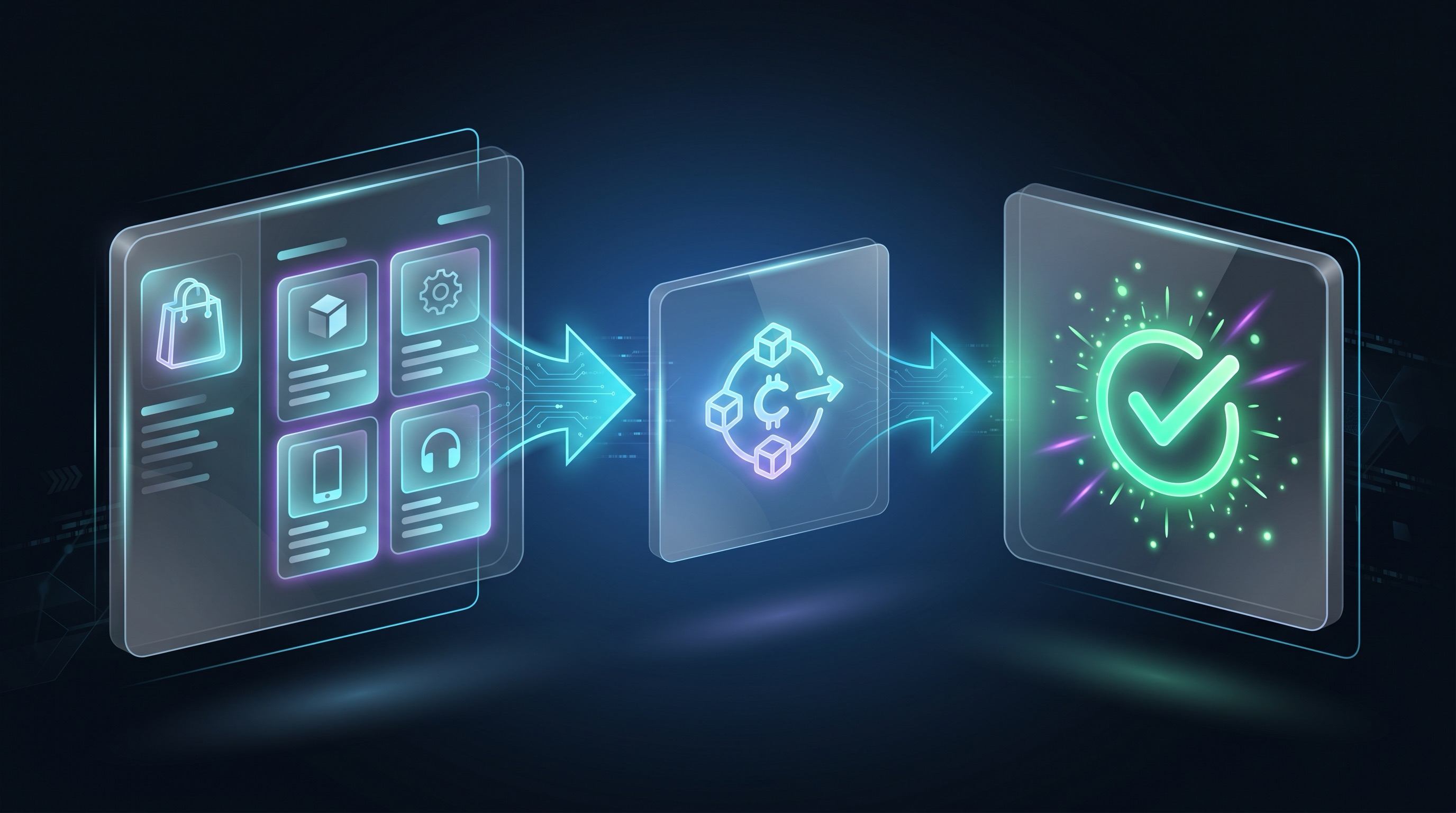
A Telegram shop bot lets buyers browse an offer, pay and receive a configured delivery inside Telegram. You can use chat messages with buttons or a Mini App storefront; a Mini App is one shopping surface, not the definition of every shop bot.
I built GramBase. This guide explains its current product and storefront setup, and the responsibilities to compare with manual or custom approaches. It does not claim that every open-source bot is abandoned or that a named competitor’s payments are broken.
I’ve tracked this across multiple creator stores: sending buyers to an external checkout page converts at 1-2%. Keeping them inside a Telegram Mini App storefront converts at 4-7%. That conversion observation does not guarantee the same result for every catalog or establish which payment methods are permitted.
What belongs in a store
A catalog is useful when buyers need to compare several products. A direct product link is useful when a post already explains a specific offer. Use both deliberately: browse when a choice is needed, direct purchase when it is not.
A store needs more than a list of prices:
- An active product with an understandable promise.
- An order identifying the buyer and exact charge.
- The payment confirmation for that rail.
- The intended file, code or invite delivery.
- Support for a payment or delivery that fails.
Digital goods/services sold inside bots and Mini Apps must use Telegram Stars. A product setting that supports crypto does not permit it for that same in-app digital purchase.
Compare three implementation approaches
| Approach | Useful when | Work you still own |
|---|---|---|
| Manual selling | You are testing a small offer | Payment reconciliation, delivery, expiry, records and support |
| Custom bot | You need proprietary behavior and can maintain it | Invoice checks, storage, retries, refunds, access and security |
| No-code commerce tool | Its supported products and delivery fit | Product configuration, permissions, pricing, support and launch testing |
A custom tool can be a good fit. Inspect its current code, license, maintainers and actual features rather than assuming every repository has identical gaps. The custom-bot comparison helps separate implementation effort from business fit.
For payments and membership-tool choices, read payment bots. GramBase does not provide a multi-item cart, a separate physical-goods/service product type or conventional Stripe/PayPal checkout.
Step 1: Create and connect your bot
Create the bot in @BotFather using /newbot, then connect it through GramBase. Keep the token private and secure the owner account.
Prepare the file, code inventory or private community before creating a paid offer. Avoid taking money for a delivery you have not configured.
Step 2: Create an appropriate product
GramBase has two product types:
- Digital Goods: a one-time configured delivery.
- Paid Community: access to selected groups/channel for an access period or lifetime offer.
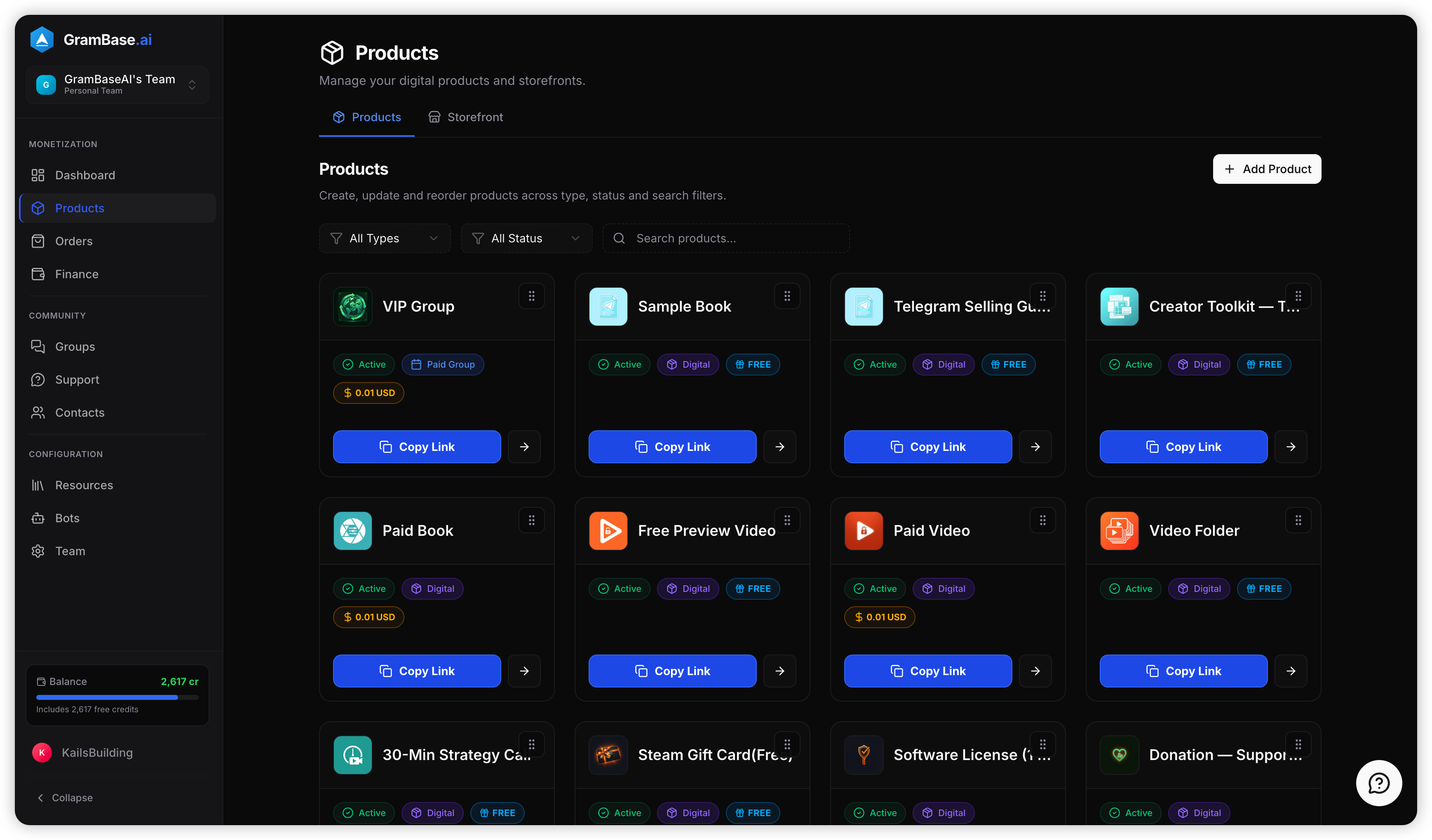
The type is fixed at creation. Add the name, description and cover, then configure pricing and fulfillment. For this in-app digital sale, enable Stars and enter a whole-number amount; a Stars-only product needs no crypto Payment Profile. Subscription tiers each need their own Stars amount. Follow Products and Payments for the actual screens.
Use the Stars price and rewards tool when deciding what the Stars amount means for buyer cost and gross merchant rewards. It is not a live quote or profit guarantee.
Step 3: Configure what buyers get
For Digital Goods, select one primary method: Message, Folder or Inventory. A file is attached to a message block. A folder makes its current contents available, including later updates. Inventory consumes one code/key per purchase; replenish it before promising availability. Do not assume every limited item automatically disappears from a storefront at zero stock.
The delivery guide includes resource libraries, upload limits and recovery. Forwarding/saving restrictions reduce easy copying; screenshots are still possible. There is no promised self-destructing or one-download-only link.
For Paid Community, select the private groups/channel and access period, and grant the connected bot invite/removal permissions. GramBase uses a new purchase for renewal. Periodic expiry checks attempt removal; permissions and Telegram exceptions can prevent it. Read subscriptions and the paid-channel tutorial.
Step 4: Create the storefront
Open Storefront → Create Store, choose its name, unique slug and theme, then add active products to its Products tab. A product being active does not automatically put it in every storefront. Arrange the display order and check the settings.
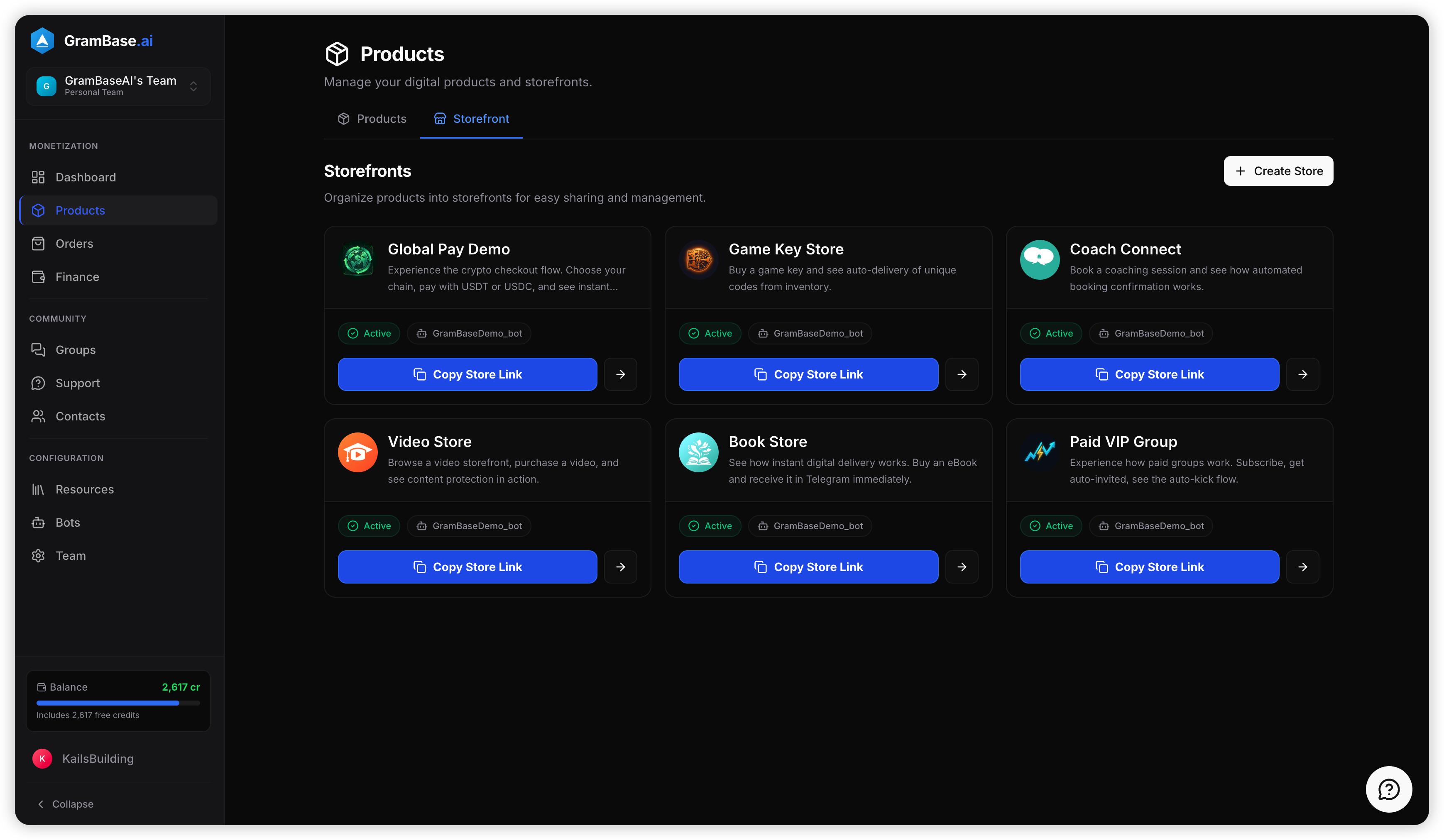
Choose Bot Menu or Mini App under Buyer shopping surface. Copy the actual storefront share link from the interface instead of inventing a generic ?start=store payload. Changing the slug changes its deep-link target, so update published links deliberately. The storefront documentation owns the current route and controls.
Step 5: Test a buyer’s full purchase
Open the exact share link using a controlled buyer account. Confirm the right products are visible and the invoice charges the intended Stars amount. Complete the test, inspect the order and verify the purchased file/code or invite arrives. For group access, actually join through the invite.
Then test failure paths: an incomplete payment must not deliver, an unavailable item must not be advertised as ready, and a failed delivery must have a support path. In GramBase, retry is available for an eligible paid order whose delivery is in error. It is queued, not a new charge. Read order records.
Stars confirmation comes from Telegram’s payment event. Supported crypto transfers use network verification in a permitted context. It is inaccurate to say every GramBase payment is verified on a blockchain.
Launch and improve the catalog
Start with one tested product before expanding. For files, put the format and update terms beside the price. For membership, put the access period and manual-renewal explanation there. Buyers pick one product/tier and pay; another purchase is a separate flow.
The previously reported conversion comparison remains:
| Metric | External checkout | Telegram Mini App |
|---|---|---|
| Click-to-purchase conversion | 1.2-2.0% | 4.5-7.0% |
| Cart abandonment | 68-75% | 20-30% |
For 1,000 people viewing the store link, those click-to-purchase ranges imply 12-20 versus 45-70 purchases. That arithmetic does not establish a revenue increase without equal offers, prices, refunds and traffic conditions. GramBase has no multi-item cart; “cart abandonment” here is the historical benchmark label, not a promise of a cart feature.
Inspect completed orders, delivery errors, repeat buying and support questions for your own store. Do not import an unsupported average purchase time, repeat rate or customer testimonial into your budget. How to sell on Telegram covers offer design, acquisition and onboarding.
Frequently asked questions
Do I need coding?
Not if the no-code tool’s supported products and delivery fit. You still need configuration, permissions, support and a controlled purchase test.
Can GramBase sell physical goods?
It currently has Digital Goods and Paid Community product types. A broad Telegram shop can use other tools for physical goods, shipping and returns; do not claim GramBase provides those workflows.
Is the shop free?
Bot creation is free. GramBase offers free credits to start; order processing consumes 2.5% of internal USD valuation, bounded at 5-2,000 credits per order, with other usage billed separately. See pricing. Stars rewards and withdrawal costs are separate.
Paid GramBase membership plans are optional; see current pricing for their monthly charges, included credits and feature access.
Does a receipt prove fulfillment?
No. Inspect the delivery state and log. A paid order can still have pending or failed delivery, and support may need to restore an invite or retry an eligible failure.
Create a test store with one Stars-priced product, then share the verified link. If Stars setup is the missing piece, use the no-code payment tutorial.
Questions? DM @Kai, founder of GramBase.
Related guides
View all
Selling Digital Goods on Telegram: Anti-Piracy Guide (2026)
Sell digital goods on Telegram with Stars and Message, Folder or Inventory delivery. Limit forwarding and saving while explaining copying and recovery limits.
 Kai | GramBase •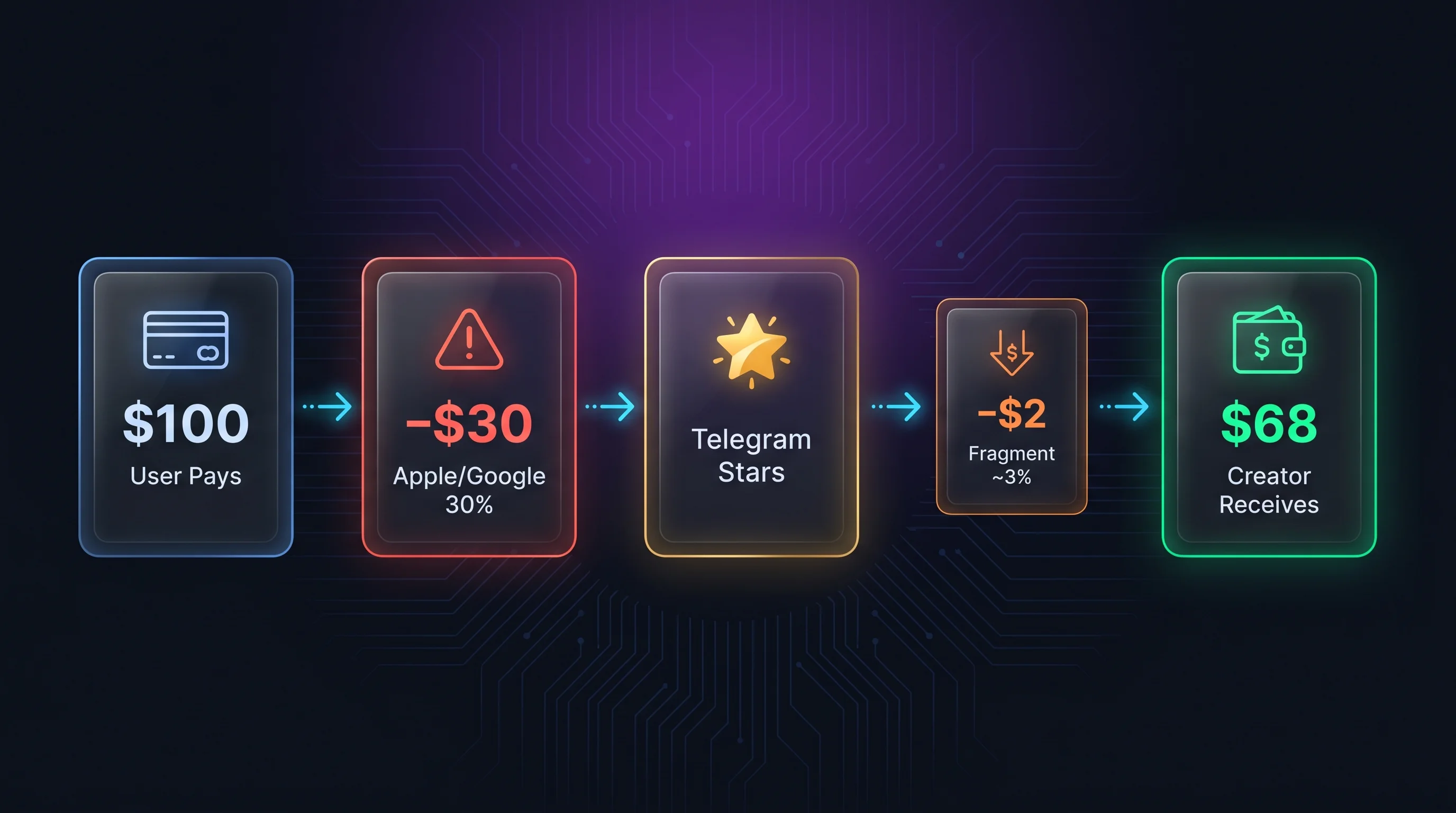
How to Accept Telegram Stars Payments Without Coding
Accept Telegram Stars payments without coding: configure paid group or channel access, set a native Stars price, and verify payment and delivery.
Kai | GramBase • 
How to Sell on Telegram: The Complete Guide (2026)
Sell on Telegram with a clear digital offer, Stars checkout, reliable delivery, useful free content, pricing examples and practical renewal support.
Kai | GramBase • Start Selling on Telegram Today
One link to sell products and memberships. Checkout and delivery stay inside Telegram.
Start Selling